I have been writing content professionally for over a decade. In that time, I have tested dozens of tools. Some were a waste of money. Others completely changed how I work.
What I can tell you from experience is this: the right tools do not write for you. But they do remove friction. They help you write faster, catch errors you would have missed, and produce content that performs better on search engines.
This article is my honest breakdown of the best writing tools I use and recommend. I have grouped them by category so you can jump to what matters most to you right now.
Whether you are just starting out or looking to upgrade your toolkit, this guide will help you make smart choices.
- Why the Right Writing Tools Actually Matter
- Grammar and Editing Tools
- AI Writing Tools
- Research and Fact-Checking Tools
- SEO Writing Tools
- Productivity and Organization Tools for Writers
- Image and Visual Content Tools
- Plagiarism and Originality Checkers
- How to Choose the Right Writing Tools for You
- My Personal Recommended Starter Stack
- Frequently Asked Questions
- Final Thoughts
Why the Right Writing Tools Actually Matter
Most writers underestimate how much time they lose to avoidable tasks. Editing sentences manually. Switching between browser tabs for research. Starting from a blank page with no idea where to begin.
Good content writing tools eliminate these bottlenecks. They give you more time to do the actual thinking that goes into great content.
Here is what the right toolkit can do for you:
- Cut your editing time by half
- Help you produce consistent, error-free writing
- Keep your workflow organized so deadlines stop feeling stressful
- Help your content rank on search engines without guesswork
- Give you AI-powered support when you are stuck on a first draft
“A good tool should feel invisible. You should be thinking about your content, not the tool itself.”
Grammar and Editing Tools
Every writer, no matter how experienced, makes mistakes. I still catch typos, awkward phrasing, and passive voice issues in my own drafts. That is not a skill problem. It is a human problem.
Grammar and editing tools act as your first line of defense before any content goes live.
Grammarly
Grammarly is the tool I have used the longest. It works as a browser extension, desktop app, and integrates with Google Docs and Microsoft Word.
It catches grammar mistakes, spelling errors, tone issues, and even plagiarism. The paid version gives you advanced suggestions on clarity, engagement, and delivery style.
What I like most is that it does not just flag problems. It explains why something is wrong. That has actually made me a better writer over time.
Best for: Everyday grammar checks, tone adjustment, and real-time editing support.
Hemingway Editor
Hemingway Editor is a web-based app that analyzes your writing for readability. It highlights long, complex sentences, excessive adverbs, and passive voice.
It assigns your content a readability grade. Aiming for Grade 6 to 8 is usually the sweet spot for most web content. The simpler your writing, the more people can read and enjoy it.
I use it when I feel like my drafts are too wordy or hard to follow. It is brutally honest, and that is exactly what you need.
Best for: Improving readability and making dense writing more digestible.
ProWritingAid
ProWritingAid is a more comprehensive alternative to Grammarly. It offers detailed reports on things like sentence length variation, overused words, cliches, and pacing.
If you write long-form content like guides, whitepapers, or ebooks, this tool gives you deeper feedback than most. It takes longer to process your content, but the insights are worth it.
Best for: In-depth editing of long-form content and articles.
AI Writing Tools
Let me be upfront about this: I was skeptical of AI writing tools at first. I thought they would produce generic, low-quality content. And honestly? Some of them still do.
But when used correctly, AI writing tools are among the best writing tools a content writer can have. They help me brainstorm ideas, write outlines, generate first drafts, and overcome writer’s block.
The key is knowing how to guide them. Garbage in, garbage out. A good prompt gives you a useful output you can build on.
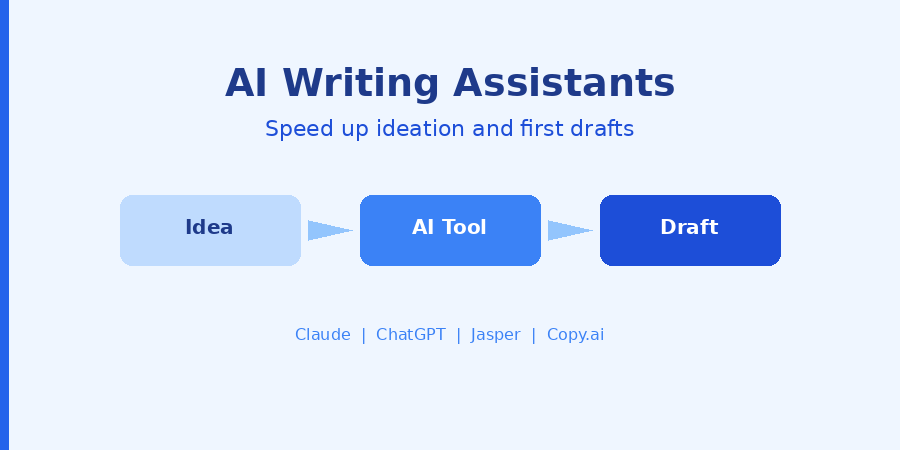
Claude (by Anthropic)
Claude is the AI assistant I reach for most often today. It handles nuanced prompts well, writes in a natural tone, and rarely produces the robotic-sounding output that gives AI writing a bad reputation.
I use Claude to help me write outlines, summarize research, rephrase sections that feel flat, and brainstorm angles for a topic I have covered before.
It is also very good at following specific instructions. If you tell it the tone, target audience, and format you need, it delivers something close to usable on the first try.
Best for: Long-form content, outlining, rephrasing, and research summarization.
ChatGPT
ChatGPT from OpenAI was the tool that made AI writing mainstream. It is excellent for quick ideation, creating bullet-point outlines, generating multiple angles for a topic, and writing in different tones and formats.
I use it primarily when I need to move fast. For quick content briefs, email drafts, or generating ten headlines to pick from, ChatGPT is fast and reliable.
Best for: Quick ideation, headlines, short-form copy, and content variations.
Jasper
Jasper is built specifically for marketing and content teams. It has templates for blog posts, ad copy, social media content, email sequences, and more.
It also has brand voice settings, which means you can train it to write in a consistent style. This is a big deal for teams managing multiple writers or maintaining a unified brand tone across content.
Best for: Marketing teams that need consistent, on-brand content at scale.
Copy.ai
Copy.ai shines when it comes to short-form copy. Product descriptions, social media posts, taglines, email subject lines, and ad copy. It has a simple interface and gets you from prompt to output very quickly.
I use it as a starting point when I need short, punchy text and do not want to overthink it.
Best for: Short-form marketing copy, social posts, and product descriptions.
“AI tools work best when you treat them as a collaborator, not a replacement. You bring the thinking. They help you express it faster.”
Research and Fact-Checking Tools
Good content is built on accurate information. I have seen many writers rely too heavily on their assumptions or pull from outdated sources. That is a credibility problem waiting to happen.
Research tools help you find reliable data, current statistics, expert sources, and topic ideas backed by what your audience is actually searching for.
Google Scholar
When I need credible, peer-reviewed research for a topic, Google Scholar is my first stop. It indexes academic papers, journals, and books across virtually every subject.
Even if you cannot access the full paper, the abstract usually gives you enough to cite a relevant finding and link back to the source. This raises the authority of your content significantly.
Best for: Sourcing credible statistics and research-backed facts.
Ahrefs and Semrush
Both of these are industry-standard SEO research platforms. They help you find what keywords your audience is using, how competitive those keywords are, what your competitors are ranking for, and what kind of content is already performing well.
I use Ahrefs primarily for backlink research and keyword discovery. Semrush is better for content audits and the broader content marketing workflow. If you can only choose one, I recommend starting with Semrush for its content features.
Best for: SEO research, keyword discovery, and competitor content analysis.
Answer the Public
This tool visualizes the questions people are asking about a topic online. Type in a keyword, and you get a map of related questions, comparisons, and prepositions.
I use it when I am planning an FAQ section, building out topic clusters, or finding angles on a subject that I may not have thought of myself. It is one of the most underrated tools for content writers.
Best for: Finding questions your audience is asking, topic ideation, and FAQ content.
SEO Writing Tools
Writing great content is only half the battle. If the right people cannot find it, it does not matter how good it is. That is why SEO is a non-negotiable part of my content process.
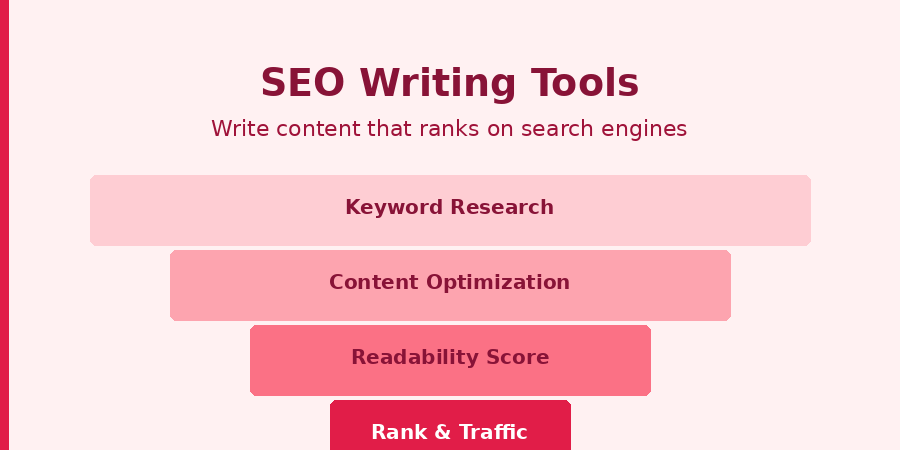
These tools help me optimize my writing for search engines without making it sound unnatural or keyword-stuffed.
Surfer SEO
Surfer SEO is one of the best tools for content writers who want to rank on Google. You enter your target keyword, and it tells you the word count, the keywords to include, the headers to use, and how your content compares to what is already ranking.
It gives you a real-time score as you write inside its editor. The higher your score, the more optimized your content is for that keyword. I have seen significant ranking improvements after using Surfer on key articles.
Best for: On-page SEO optimization and outperforming existing ranking content.
Yoast SEO
If your content lives on a WordPress site, Yoast SEO is a must-have plugin. It checks your meta title, meta description, keyword density, readability, and internal link structure as you write.
It uses a simple traffic light system. Green means you are good. Orange or red means something needs fixing. For WordPress writers, this is as basic as spell check.
Best for: WordPress content optimization and quick on-page SEO audits.
Clearscope
Clearscope is a premium SEO content tool used by many content marketing teams. It analyzes top-ranking content for your target keyword and recommends the terms and phrases you should include in your article.
It is more expensive than other options, but for teams producing SEO content at scale, the data quality is excellent.
Best for: Enterprise content teams focused on consistent SEO performance.
Productivity and Organization Tools for Writers
A content writer is not just a person who types. We manage deadlines, track multiple projects, maintain style guides, build content calendars, and keep notes from dozens of research sessions.
Without a system, things fall through the cracks. These are the tools that keep me organized and on track.
Notion
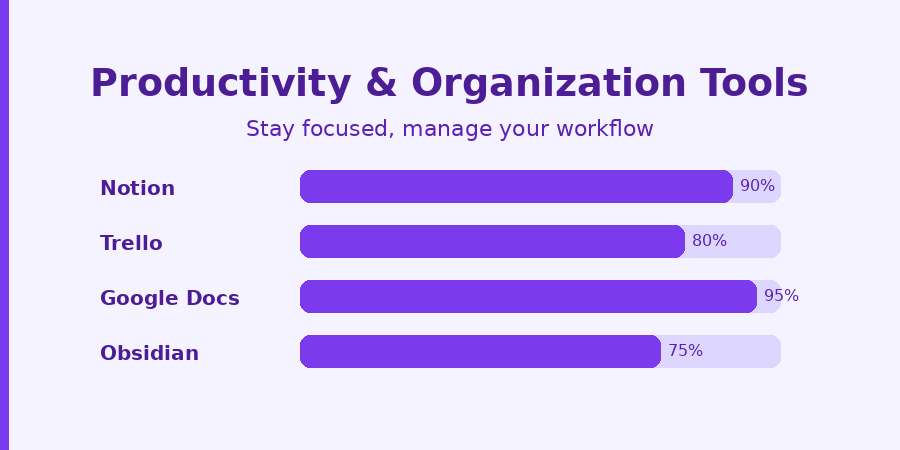
Notion is the hub of my entire content workflow. I use it for my content calendar, article outlines, research notes, idea databases, and client briefs. It is an all-in-one workspace that replaces several apps.
You can build custom databases with filters and views, create templates for recurring tasks, and share workspaces with collaborators. For solo writers and teams alike, it is one of the most flexible productivity tools available.
Best for: Content planning, research organization, editorial calendars, and team collaboration.
Google Docs
Google Docs remains the gold standard for collaborative writing. Real-time collaboration, comment threads, version history, and simple sharing make it the go-to for most content teams.
I write almost all my client content in Google Docs. It works on any device, never loses your work, and makes the review and approval process much smoother.
Best for: Collaborative writing, client deliverables, and cloud-based drafting.
Trello
Trello is a visual project management tool that works great for managing a content pipeline. I use boards with columns for each stage: ideas, research, drafting, editing, review, and published.
Cards move through the pipeline as the work progresses. At a glance, I can see exactly where every piece of content is and what needs attention.
Best for: Managing content pipelines and tracking articles through production stages.
Obsidian
Obsidian is a local, markdown-based note-taking app that has become popular among writers who do a lot of deep research. It lets you create linked notes, building a personal knowledge base over time.
If you cover a niche topic consistently and want to build a library of connected ideas, Obsidian is a powerful tool that gets better the more you use it.
Best for: Deep research notes, knowledge management, and niche content writers.
Image and Visual Content Tools
Content writing is not just words. Visuals help break up long articles, illustrate concepts, and improve overall engagement. You do not need to be a designer to create clean, professional visuals for your content.
Canva
Canva is the most popular design tool for non-designers and for good reason. It has thousands of templates for blog featured images, social media graphics, infographics, and more.
I use Canva to create featured images for articles, quote graphics for social media, and simple diagrams to explain complex concepts. The free version is genuinely powerful.
Best for: Blog graphics, featured images, and social media visuals.
Unsplash and Pexels
Both of these platforms offer high-quality, royalty-free photographs you can use freely in your content. Stock photos are not always ideal, but when used thoughtfully, they add visual variety to long articles.
I lean on these platforms when I need a real photograph rather than a designed graphic, especially for lifestyle, business, or technology topics.
Best for: Free, high-quality stock photography for articles and blog posts.
Plagiarism and Originality Checkers
Every professional writer needs to verify the originality of their work. This is not about doubting yourself. It is about making sure that you have not accidentally echoed a phrase too closely from a source, or that AI-generated sections pass an originality check.
Copyscape
Copyscape is the industry standard for plagiarism detection. It scans your content against published web pages and highlights any matching sections.
I use it before submitting any article to a client. It takes seconds and gives you peace of mind that your content is fully original.
Best for: Plagiarism verification before client submission or publication.
Quetext
Quetext offers deep search plagiarism detection and a built-in citation assistant. The free version covers most use cases for independent writers. The paid version handles higher word counts and gives more detailed source matching.
Best for: Regular plagiarism checks and citation assistance.
How to Choose the Right Writing Tools for You
Not every tool on this list is right for every writer. Your choice depends on what kind of content you write, who you write for, and what your current workflow is missing.
Here is a simple way to think about it:
- If your biggest struggle is writing quality: Start with Grammarly and Hemingway Editor.
- If you need help generating content faster: Try Claude or ChatGPT for AI-assisted drafting.
- If you want your content to rank on Google: Surfer SEO and Semrush should be your first investments.
- If your workflow is chaotic: Notion or Trello will bring structure to your process.
- If you want to build authority through research: Google Scholar and Answer the Public are your friends.
“Start with one tool that solves your biggest bottleneck. Master it before adding the next one.”
The mistake most writers make is downloading ten tools at once and using none of them well. Pick one or two that address your most pressing pain point. Build the habit. Then layer in more.
My Personal Recommended Starter Stack
If I were building a writing toolkit from scratch today, I would start with these five tools:
- Grammarly (free) for grammar and editing
- Claude or ChatGPT for AI-assisted drafting and brainstorming
- Google Docs for writing and collaboration
- Answer the Public for topic and FAQ research
- Canva (free) for creating simple visuals
This starter stack costs nothing if you use the free tiers, and it covers the core needs of most content writers. Once you outgrow these, upgrade to paid versions or add specialized tools where you see gaps.
Frequently Asked Questions
1. What are the best writing tools for beginners?
If you are just starting out, begin with Grammarly for editing, Google Docs for writing, and Canva for visuals. These three free tools cover your core needs without overwhelming you. Once you are comfortable, add an AI writing tool like Claude or ChatGPT.
2. Are AI writing tools worth using for content writers?
Yes, when used the right way. AI writing tools are best for brainstorming, writing outlines, generating first drafts, and overcoming writer’s block. They are not replacements for original thinking or editorial judgment. You still need to review, edit, and personalize everything the AI produces.
3. Do I need to pay for writing tools, or are free versions enough?
Free versions of most writing tools are genuinely useful and enough to get started. Tools like Grammarly (free), Google Docs, Canva, Hemingway Editor, and Answer the Public offer strong value at no cost. Paid plans become worth it when you need advanced features like SEO optimization scores, deeper AI outputs, or higher usage limits.
4. Which tool is best for SEO content writing?
Surfer SEO is the most comprehensive option for optimizing your content for search engines while you write. Semrush is ideal for keyword research and competitor analysis before you start writing. If you use WordPress, combine Yoast SEO with Surfer for a well-rounded SEO workflow.
5. How many writing tools should I use at once?
Start with no more than three to four tools. One for editing, one for writing or AI assistance, one for research, and one for organization. Using too many tools at once leads to tool-switching fatigue. Get comfortable with a small stack before expanding. Every tool you add should solve a specific, identified problem in your workflow.
Final Thoughts
The best writing tools are the ones you actually use. They do not have to be the most expensive or the most feature-rich. They just have to fit your workflow and solve your real problems.
I have found that the biggest gains come not from using more tools, but from using the right tools consistently. A reliable grammar checker, a good AI assistant for when you are stuck, an SEO tool to optimize before publishing, and a place to keep your notes and calendar organized.
That is enough to produce professional, high-quality content that your audience values and search engines reward.
Start simple. Stay consistent. And let your tools work for you, not the other way around.