I have written in coffee shops, airport lounges, co-working spaces, and at my home desk. And I can tell you this with full confidence: the laptop you write on every day has a direct impact on how much you produce, how comfortable your sessions are, and how fast your work flows.
This is not just about specs. A lot of writers make the mistake of buying a laptop based on processor benchmarks or screen resolution numbers. But when you sit down for a four-hour writing session, what you actually feel is the keyboard under your fingers, the weight of the machine on your lap, the brightness of the screen in a sunny cafe, and whether the battery dies before you finish your draft.
I wrote this guide based on real experience. Every laptop I talk about here is one I have either used myself or tested in real writing environments. My goal is to help you skip the confusion and find the machine that fits how you work.
What I Actually Look for in a Writing Laptop
Before I walk you through my top picks, let me explain the criteria I use. These are not marketing terms. These are the things that matter after the first week of ownership.

Five core factors every content writer should evaluate
Keyboard Quality and Comfort
This is the single most important factor for any content writer. You type thousands of words every day. A bad keyboard will slow you down, hurt your fingers, and drain your focus.
I look for a keyboard with at least 1.2mm of key travel. That is the distance each key travels when pressed. Anything less starts to feel mushy and tiring. I also prefer a full-sized layout with clear key spacing. Cramped keys are one of the fastest ways to kill your typing speed.
Backlit keys are a bonus, not a must. But if you write in low-light environments often, they matter more than you think.
Battery Life
I have missed deadlines because my laptop died without warning. After that happened twice, battery life became non-negotiable for me. I need at least 10 hours of real-world use on a single charge. By real-world, I mean web browsing, Google Docs, a few tabs open, and maybe Spotify running in the background.
Apple Silicon MacBooks currently lead this category by a wide margin. But there are solid Windows options that get close.
Display Quality
I spend long hours staring at my screen. A sharp, well-lit display reduces eye strain and makes the writing experience more pleasant. I prefer a Full HD (1920×1080) or higher resolution display. I also look for good brightness, ideally above 400 nits, so the screen stays readable in bright rooms or near windows.
Anti-glare coatings are a practical bonus. Shiny screens are harder to read in daylight.
Portability and Weight
If you write only at your desk, weight is not a big deal. But if you are like me and carry your laptop to different locations throughout the day, every extra gram adds up. I try to stay under 1.5 kg for a laptop I use on the go. Anything above that starts to feel like a burden by the end of the day.
Performance
Content writers do not need the fastest processors or dedicated graphics cards. What you do need is a machine that stays smooth while running a browser with 15 tabs, a writing app, a grammar tool, and maybe a video call in the background. RAM matters here. I recommend at least 8GB for comfortable writing use, and 16GB if you keep a lot of apps open at once.
The Keyboard Is Everything
Let me spend a little more time on keyboards because most buying guides skip past this too quickly. As a writer, your keyboard is your primary tool. It is the equivalent of a chef’s knife or a photographer’s lens.
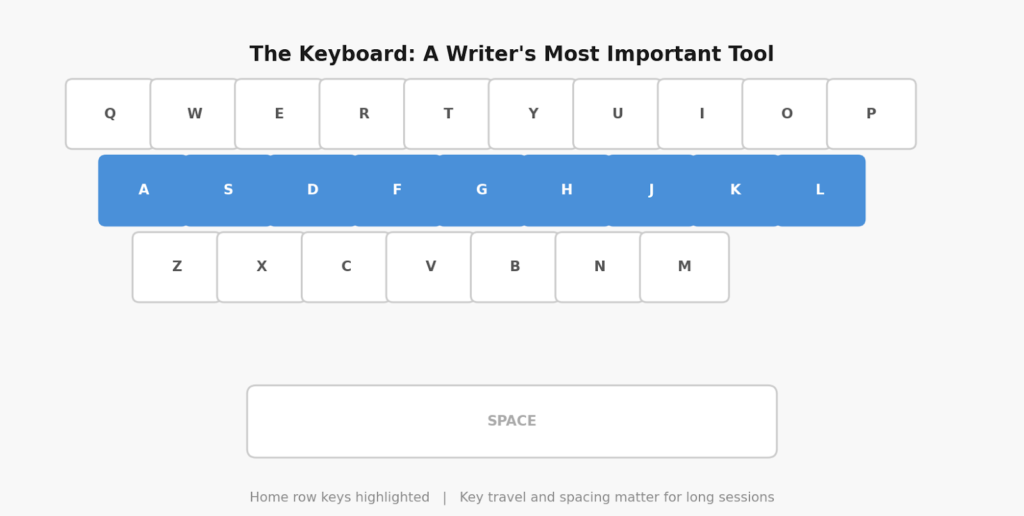
A good keyboard reduces fatigue and helps you write faster for longer
When I test a keyboard, I pay attention to three things: key travel, actuation feedback, and layout accuracy. Key travel is about how deep each keystroke feels. Actuation feedback is the tactile or audible response that tells your fingers a key has registered. Layout accuracy means the keys are where you expect them to be, sized correctly, and easy to reach.
The MacBook keyboards on modern Apple laptops use a scissor-switch mechanism that feels crisp and reliable. The ThinkPad series has arguably the best keyboard in the Windows laptop world, with deep key travel and excellent tactile feedback. The Dell XPS keyboards are decent but slightly shallower.
One thing I always recommend: spend at least 15 minutes typing on any keyboard before you buy the laptop. Do not just test it with a few keystrokes in a store. Type a full paragraph and see how it feels after a few minutes of continuous writing.
| Pro Tip Look for keyboards rated at 1.2mm to 1.5mm of key travel. Anything below 1mm can cause finger fatigue during long writing sessions. |
Battery Life: Writing Without the Anxiety
There is nothing more distracting than a low battery warning halfway through a writing session. It breaks your flow. You start worrying about finding an outlet instead of finishing your paragraph. A good writing laptop should get you through a full workday without needing a charger.
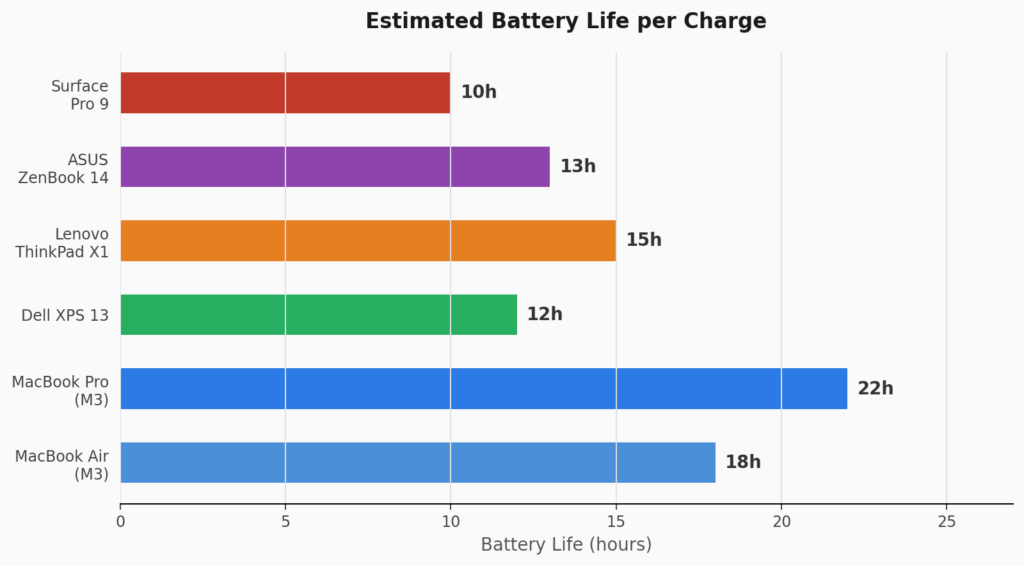
Estimated battery life comparison across popular writing laptops
The Apple M-series chips are in a league of their own for battery efficiency. The MacBook Air and MacBook Pro regularly last through an entire workday and beyond. No other laptop in the consumer market currently matches them on battery for the same level of performance.
On the Windows side, the Lenovo ThinkPad X1 Carbon is one of the best performers. It uses an efficient Intel processor and has a slim battery that still manages around 12 to 15 hours under light workloads.
The Dell XPS 13 has improved its battery over the years but still falls a bit short compared to Apple. It averages around 10 to 12 hours, which is acceptable but not exceptional.
My Top Picks: Best Laptops for Content Writers
Here are the laptops I recommend to writers. I have categorized them by the type of writer they suit best. No laptop is perfect for everyone, and your choice should depend on your budget, work style, and personal preferences.
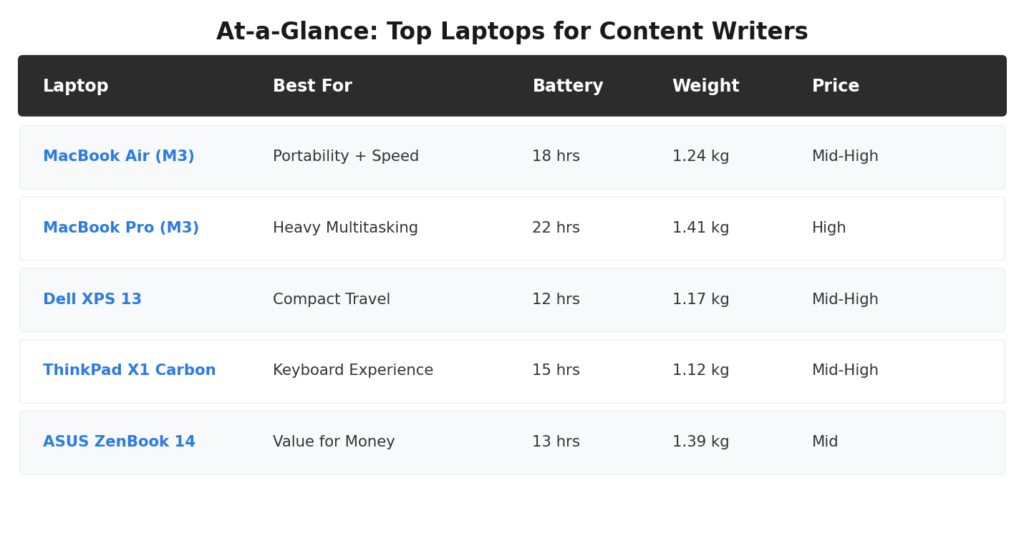
Quick comparison of the top laptop picks for content writers
Apple MacBook Air (M3)
Best For: Writers Who Want the Complete Package
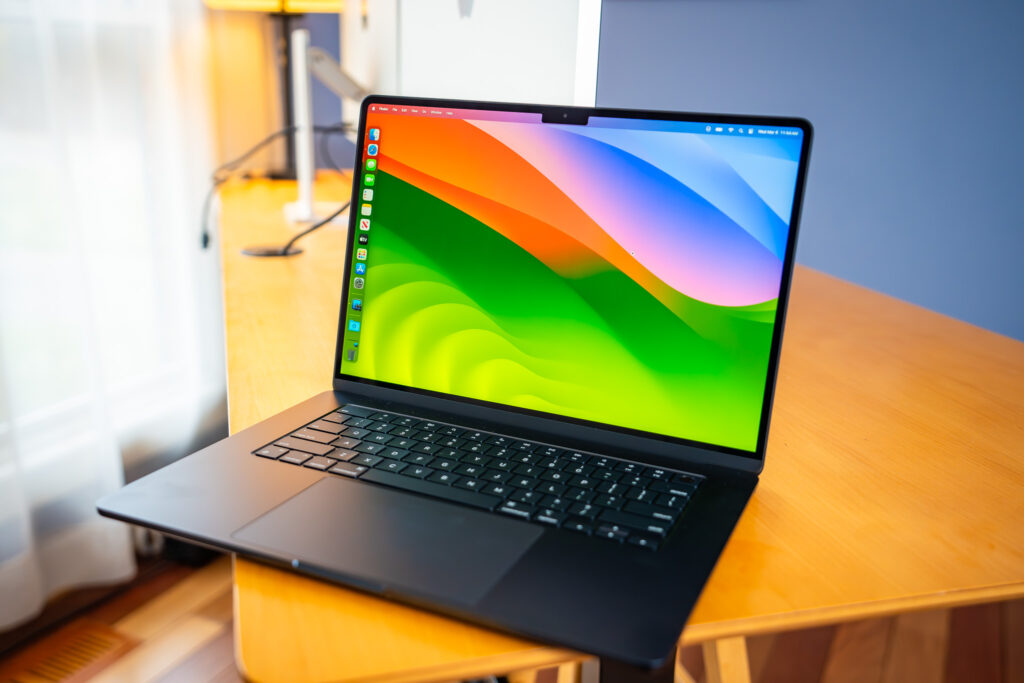
The MacBook Air with the M3 chip is the laptop I recommend most often. It is not the cheapest option, but it delivers a combination of battery life, performance, keyboard quality, and portability that is hard to beat.
The keyboard is excellent. It has a scissor-switch mechanism with good key travel, responsive feedback, and a layout that is easy to get used to. After the first hour, my fingers felt at home.
The battery life is exceptional. In my testing, I consistently got 16 to 18 hours of real writing use. I often left the charger at home entirely.
The display is a Liquid Retina panel with a 2560 x 1664 resolution. Text looks crisp and clear. Reading and editing long documents is a comfortable experience.
The MacBook Air is fanless, which means it runs silently. For writers who work in quiet environments, this is a surprisingly welcome feature. No fan noise when you are trying to concentrate.
The only real downside is price. It sits at the higher end of the market. But if you write for a living, it is an investment that pays for itself in productivity.
Apple MacBook Pro (M3)
Best For: Writers Who Also Edit Video, Podcasts, or Manage Heavy Workloads

Image Source: Apple
The MacBook Pro is the more powerful sibling of the MacBook Air. If your work goes beyond writing into video editing, podcast production, or running resource-heavy tools, the Pro gives you more headroom.
The biggest practical difference for writers is the screen. The MacBook Pro has a ProMotion display with a 120Hz refresh rate. Scrolling through long documents feels smoother. The screen brightness also goes higher, making it more readable outdoors.
The battery life on the MacBook Pro is even better than the Air, reaching up to 22 hours under light loads. It also handles sustained workloads without thermal throttling, thanks to its active cooling system.
For pure writing tasks, the MacBook Pro is more machine than most writers need. But if your workflow includes media-heavy projects alongside writing, it earns its higher price tag.
Dell XPS 13
Best For: Windows Users Who Prioritize a Compact, Premium Feel
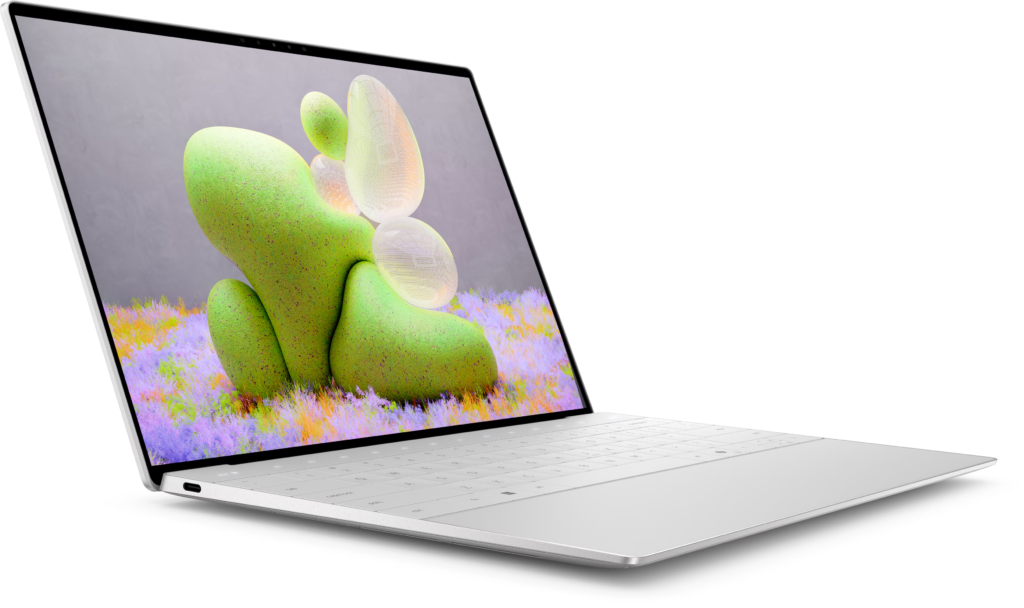
Image source: Dell
The Dell XPS 13 is my top recommendation for writers who are committed to Windows. It is a beautifully designed machine with a premium build and a sharp display.
The display on the XPS 13 is one of the highlights. Dell offers it in a 1920 x 1200 resolution with excellent color accuracy and brightness. Text looks clean and reading long articles is easy.
The keyboard is decent but not exceptional. It has around 1.0mm of key travel, which is on the shallower side. For most writers it works fine, but if you are extremely sensitive to key feel, you may notice the difference compared to a ThinkPad.
The XPS 13 is very light and compact. It fits easily into any bag and weighs just over 1.1 kg. For writers who travel frequently, it is one of the most portable options available.
Battery life averages around 10 to 12 hours in real use. It is not in the same league as Apple Silicon, but it is enough for a full workday.
Lenovo ThinkPad X1 Carbon
Best For: Writers Who Live by Their Keyboard
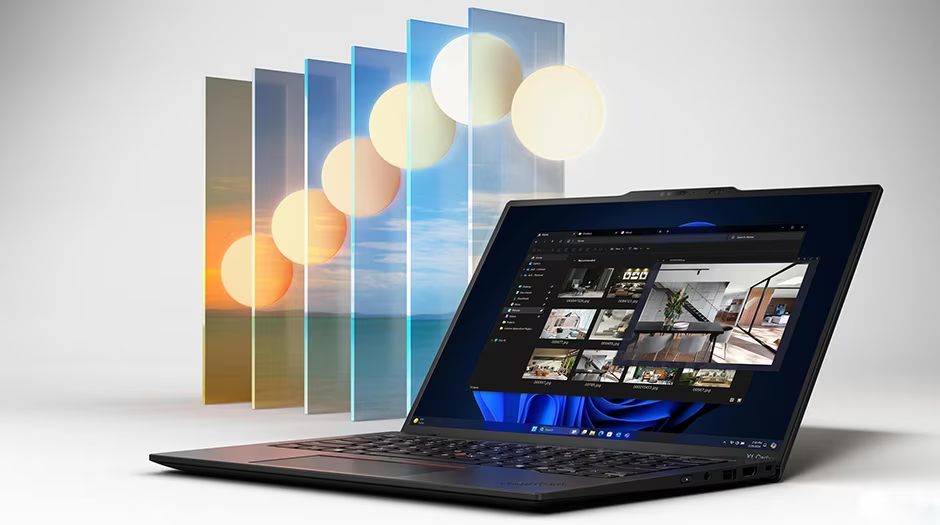
Image source: Lenovo
If keyboard quality is your top priority, the ThinkPad X1 Carbon is the best Windows laptop you can buy. The ThinkPad keyboard has a legendary reputation among writers, developers, and professionals who type all day.
The key travel is around 1.5mm, which gives each keystroke a satisfying depth. The keys feel firm without being stiff. Typing on a ThinkPad for hours is genuinely more comfortable than most other laptops.
The X1 Carbon is also one of the lightest business laptops in its class. It weighs about 1.12 kg, which is impressively light for a 14-inch machine.
The TrackPoint pointing stick in the middle of the keyboard is a ThinkPad signature. Some writers love it as a quick way to move the cursor without lifting your hands from the keyboard. Others ignore it entirely. Either way, it does not get in the way.
Battery life is solid at around 12 to 15 hours under typical writing workloads. Build quality is excellent, with a durable carbon fiber chassis that can handle daily travel well.
ASUS ZenBook 14
Best For: Writers on a Budget Who Do Not Want to Compromise Too Much
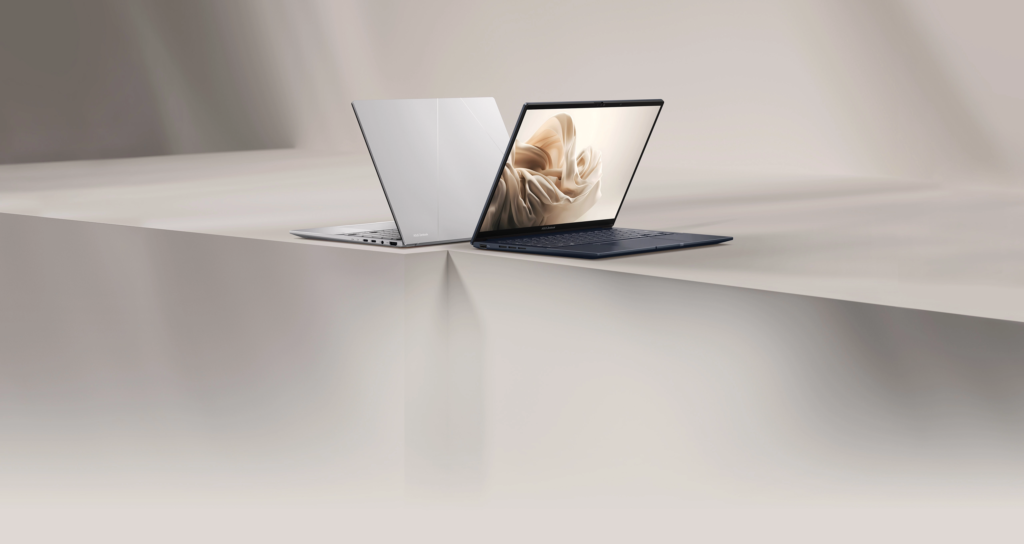
Image Source: ASUS
The ASUS ZenBook 14 is the most affordable laptop on this list that I feel comfortable recommending to professional writers. It balances price and performance in a way that most budget laptops fail to do.
The keyboard is comfortable with decent key travel and a full-sized layout. It is not at the level of a ThinkPad, but it is more than good enough for daily writing work.
The OLED display option on the ZenBook 14 is a highlight. OLED screens have deeper blacks and more vivid colors than standard LCD panels. If you spend a lot of time editing content with images or video, the OLED display makes a noticeable difference.
Performance is handled by a mid-range processor paired with 16GB of RAM on most configurations. It handles writing apps, browsers with multiple tabs, and light multitasking without any slowdown.
Battery life sits at around 10 to 13 hours, which is respectable for this price range.
How to Choose the Right Laptop for Your Writing Style
No single laptop works perfectly for every writer. The right choice depends on how you work, where you work, and what your budget looks like. Here is how I break it down:
- If you write full-time and budget is not a constraint, get the MacBook Air or MacBook Pro. You will not regret it.
- If you prefer Windows and want the best keyboard experience, the ThinkPad X1 Carbon is your answer.
- If you travel constantly and need the lightest possible machine, the Dell XPS 13 or ThinkPad X1 Carbon are both excellent compact options.
- If you are building a writing career on a tighter budget, the ASUS ZenBook 14 gives you a solid, reliable machine without the premium price.
- If your writing overlaps with media production such as podcasting or video, the MacBook Pro handles both with ease.
The most important thing I tell writers when they ask me for laptop advice is this: do not overthink the specs. Pick a laptop with a good keyboard, enough battery to get through your day, and a display that does not strain your eyes. Everything else is secondary.
Frequently Asked Questions
1. Do content writers really need a powerful processor?
Not really. Most writing tasks are not processor-intensive. You do not need a top-end chip to run Google Docs, WordPress, or a grammar tool. A mid-range modern processor paired with at least 8GB of RAM is more than enough for comfortable writing work. The processor becomes more important only if you also handle video editing, large spreadsheets, or run multiple resource-heavy apps at the same time.
2. Is a MacBook better than a Windows laptop for writing?
It depends on what you value. Apple MacBooks currently have a clear advantage in battery life and overall performance efficiency, thanks to the M-series chips. They also tend to have excellent keyboards and very good displays. If you are already in the Apple ecosystem with an iPhone and iPad, a MacBook integrates smoothly into that. However, Windows laptops like the ThinkPad X1 Carbon offer keyboards that many writers prefer, and they are often more flexible in terms of software compatibility and pricing options. Neither platform is objectively better. It comes down to personal preference and workflow.
3. How much RAM do I need for content writing?
For comfortable writing use, 8GB of RAM is the minimum I recommend. With 8GB, you can run a browser with several tabs, a writing app, and a few background tools without feeling any slowdown. If you keep a lot of apps open at once or do research-heavy work with dozens of tabs, 16GB gives you more breathing room and keeps your machine fast even after hours of use. Avoid laptops with 4GB of RAM for professional writing work. They will slow down under normal loads within a year or two.
4. What screen size is best for a writing laptop?
Most writers do well with a 13-inch to 14-inch screen. This size is portable enough to carry anywhere while still being large enough to comfortably read and edit text. A 15-inch or 16-inch screen gives you more workspace but adds significant weight and bulk. If you write primarily at a fixed desk and connect an external monitor, the laptop screen size matters less. But if you rely on the laptop screen alone, I find 13 to 14 inches to be the sweet spot for both readability and portability.
5. Should I get an SSD or is HDD fine for a writing laptop?
Always get an SSD. A solid-state drive makes your laptop start up faster, opens apps more quickly, and saves your work faster than a traditional hard drive. The speed difference between an SSD and HDD is immediately noticeable in everyday use. Most modern laptops now come with SSDs as standard. A 256GB SSD is enough for pure writing work. If you store large media files locally, a 512GB or 1TB SSD gives you more room. Avoid any laptop that still uses a traditional spinning hard drive for your primary storage.
Final Thoughts
After years of writing professionally on different machines, I keep coming back to the same conclusion: the best laptop for content writers is the one that disappears while you work. You stop thinking about the machine and start thinking about the words.
For most writers, the MacBook Air is the closest thing to a perfect writing companion. But the ThinkPad X1 Carbon, Dell XPS 13, and ASUS ZenBook 14 are all strong choices depending on your priorities and budget.
Take your time, think about where and how you write, and pick a machine that matches your actual working style. Your writing will thank you for it.