Assume a user typing this in Google: “Best Apple phonesâ€
Google picks the keyword “Appleâ€.
It understands the intent and context and lists results related to iPhones:
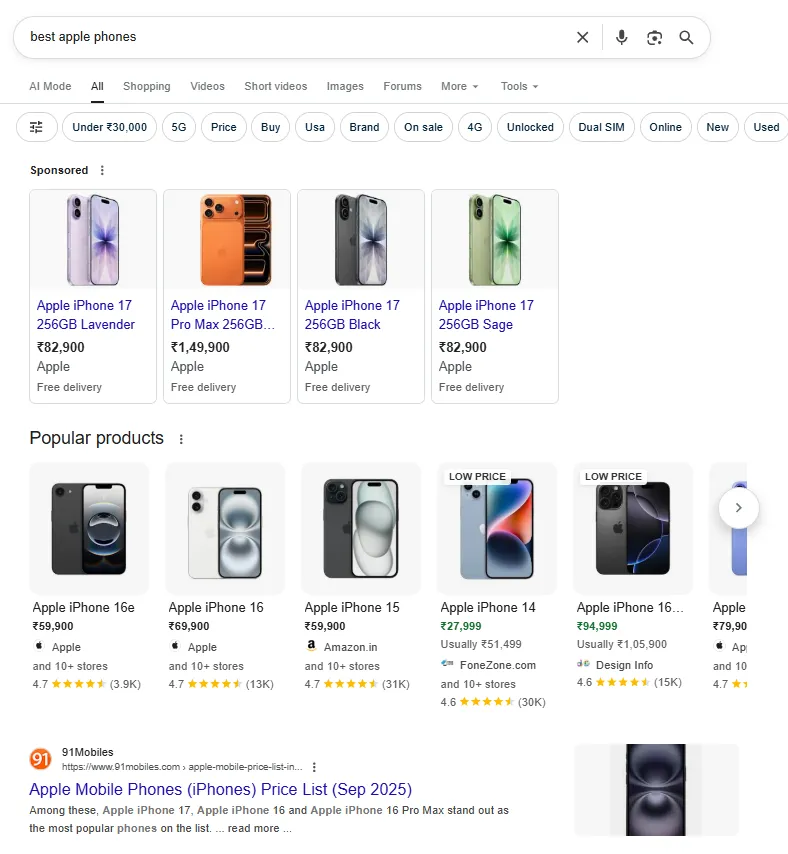
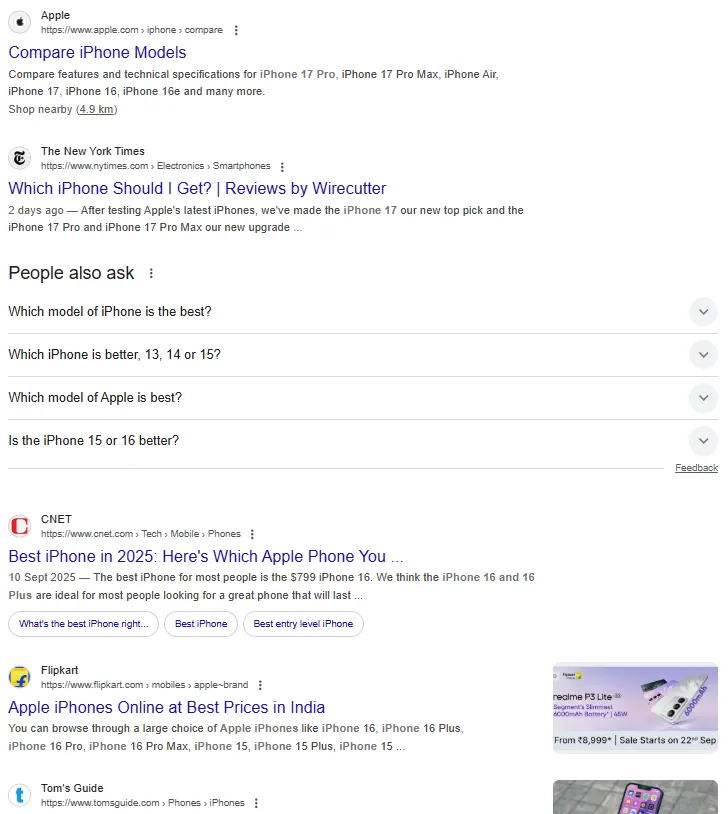
The search engine does not bring up any results on the fruit “Apple†although the phrase “best apple phones†contains the string “appleâ€
Google identifies the correlation between the words, and the purpose of the search.
Search engines are shifting from keyword matching to semantic search – they want to know what your content is about, not just what word it contains.
How to Use Entity SEO in Content Writing
- Identify Relevant Entities: Use tools like Google Knowledge Graph Search API, Wikidata, or NLP tools (InLinks, Clearscope, SurferSEO) to find entities.
- Structure Your Content: Write in a way that connects entities logically (topic clusters).
- Add Context: Provide clear explanations, relationships, and examples around entities.
- Use Internal/External Linking: Link to authoritative sources or your own pillar pages.
- Leverage Schema Markup: Add structured data to help search engines understand entities more precisely.
Practical Workflow for Implementing Entity SEO in Content Writing
Step 1: Pick a Clear Topic & Intent
- Define the core topic of your article (e.g., “Content Marketing Strategyâ€).
- Identify the search intent (informational, transactional, navigational).
- This ensures you know what entities and concepts you’ll need to cover.
Step 2: Research Entities
- Google Knowledge Panel
- Search your topic and check the Knowledge Panel to see what entities are recognized.
- Note related concepts, “People also search for,†and “Related topics.â€
- NLP & Entity Tools
- Use tools like:
- Google NLP API Demo
- InLinks or Clearscope (entity reports)
- Wikidata or Wikipedia for verified entity names
- Extract:
- Primary entity (main topic)
- Supporting entities (subtopics, related people, organizations, tools, events)
- Use tools like:
- SERP Analysis
- Review top-ranking pages and note recurring terms, brands, and linked resources.
- These are likely the entities Google associates with the topic.
Step 3: Build a Topical Map
Create a simple outline where you connect entities in a logical way:
- Pillar entity – Your main topic.
- Supporting entities – Related terms to cover as sections or examples.
- Entity relationships – Show how they connect (cause/effect, hierarchy, use cases).
Example for “Content Marketing Strategyâ€:
- Main entity: Content Marketing
- Supporting entities: Buyer Persona, HubSpot, Blog Posts, Conversion Funnel, SEO, Social Media Marketing, ROI Measurement
Step 4: Write with Semantic Richness
- Naturally weave entities into headings, subheadings, and paragraphs.
- Provide context and relationships (don’t just name-drop entities).
- Example: Instead of “Use HubSpot for marketing,†write: “HubSpot, a leading marketing automation platform, helps you plan, publish, and analyze content performance — making it an ideal tool for executing a content marketing strategy.â€
Step 5: Add Internal & External Links
- Internal links: Connect to your other articles or pillar pages that cover related entities in-depth.
- External links: Link to authoritative sources (Wikipedia, government sites, well-known brands). This strengthens the semantic network of your article.
Step 6: Optimize for Entities Technically
- Add Schema Markup (Article, FAQ, Organization, Person, Product) to help search engines recognize entities.
- Use alt text for images that mention relevant entities (e.g., “Content Marketing Funnel Diagramâ€).
- Ensure your meta title and description clearly reference the main entity.
Step 7: Validate Your Entity Coverage
After writing, check if your article is semantically strong:
- Use tools like TextRazor or InLinks to extract entities from your draft.
- Make sure:
- Primary entity appears early and frequently (naturally).
- Supporting entities are well-represented.
- Content covers relationships, not just mentions.
Step 8: Update & Expand
- Track what related queries your article starts ranking for (Google Search Console → Performance → Queries).
- Update with new entities or subtopics as they gain relevance (future-proofing your content).
Entity SEO Workflow (With Example)
Step 1: Pick a Clear Topic & Intent
- Topic: Content Marketing Strategy
- Search Intent: Informational — users want to learn how to build a strategy.
Step 2: Research Entities
Primary Entity:
- Content Marketing Strategy
Supporting Entities Found (via SERPs, Knowledge Graph, Wikipedia):
- Buyer Persona
- Customer Journey
- SEO
- Blog Posts
- Social Media Marketing
- Content Calendar
- HubSpot (tool)
- ROI Measurement
- Content Distribution
- Lead Generation
Step 3: Build a Topical Map
We group entities logically:
| Entity Group | Entities |
|---|---|
| Planning Stage | Buyer Persona, Customer Journey, Audience Research |
| Execution Stage | Blog Posts, Social Media Marketing, Content Calendar |
| Optimization Stage | SEO, HubSpot (tools), Content Distribution, Lead Generation |
| Measurement Stage | ROI, Analytics, Conversion Rate |
This gives structure to the article and ensures coverage of all relevant entities.
Step 4: Write with Semantic Richness
Instead of keyword stuffing (“content marketing strategy†in every sentence), we connect entities naturally:
Bad (Keyword-Heavy):
“A content marketing strategy helps with content marketing. A content marketing strategy improves content marketing results.â€
Good (Entity-Rich):
“A successful content marketing strategy begins with creating a buyer persona to understand your target audience. Once you map the customer journey, you can plan a content calendar with blog posts, videos, and social content. Tools like HubSpot help automate publishing and track performance, while regular SEO optimization ensures your content ranks higher. Finally, measure success through ROI analysis and refine your strategy for better lead generation.â€
Here, multiple entities are introduced, explained, and connected.
Step 5: Add Internal & External Links
- Internal link to your own article:
- “How to Create a Buyer Persona†→ (your previous article)
- External link to authoritative source:
- “HubSpot’s Content Marketing Guide†→ (hubspot.com)
This reinforces entity relationships for search engines.
Step 6: Optimize Technically
- Add Schema Markup:
{
  "@context": "https://schema.org",
  "@type": "Article",
  "headline": "Content Marketing Strategy: A Complete Guide",
  "about": ["Content Marketing", "Buyer Persona", "Customer Journey", "SEO"],
  "author": {
    "@type": "Person",
    "name": "Atchaya Jayabal"
  }
}- Add alt text for images:
- “content-marketing-funnel-diagram.png†→ Alt text: “Content marketing funnel showing awareness, consideration, decision stages.â€
Step 7: Validate Entities
Use TextRazor or InLinks free analyzer to check entity coverage.
Make sure primary and supporting entities are detected and semantically connected.
Step 8: Update & Expand
After publishing, track queries in Google Search Console:
- If you start ranking for “content calendar template,†consider adding a free downloadable template to strengthen that entity.
You’ve created a semantically rich, entity-optimized article that covers:
- Core concept (content marketing strategy)
- Supporting concepts (buyer persona, SEO, ROI)
- Relationships (planning → execution → optimization → measurement)
This makes your content more authoritative and more likely to rank for a wide set of queries.